The building blocks
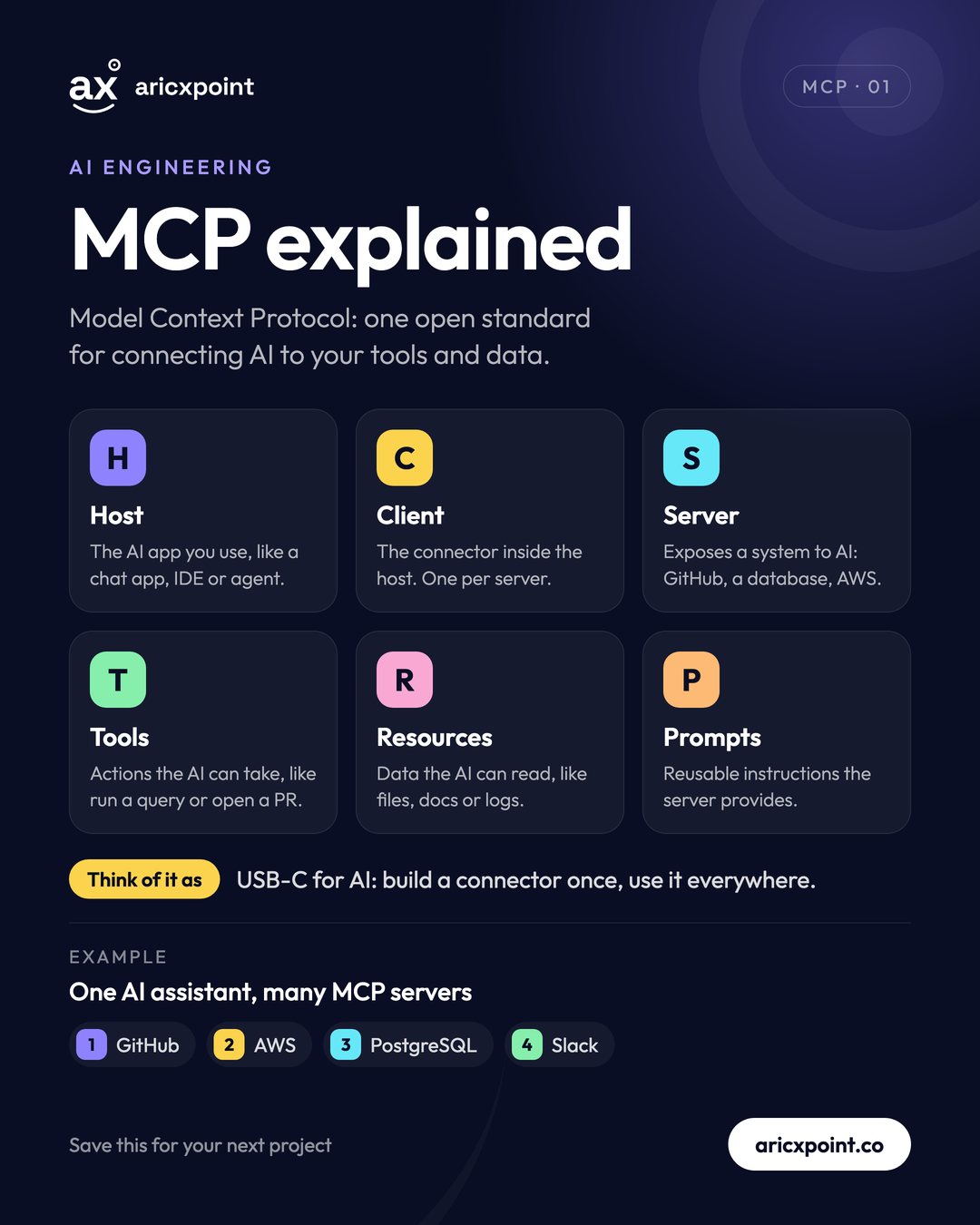
- Host: the AI app you use, like a chat app, code editor or agent.
- Client: the connector inside the host, one per server.
- Server: exposes a system to AI, such as GitHub, a database or AWS.
Why MCP?
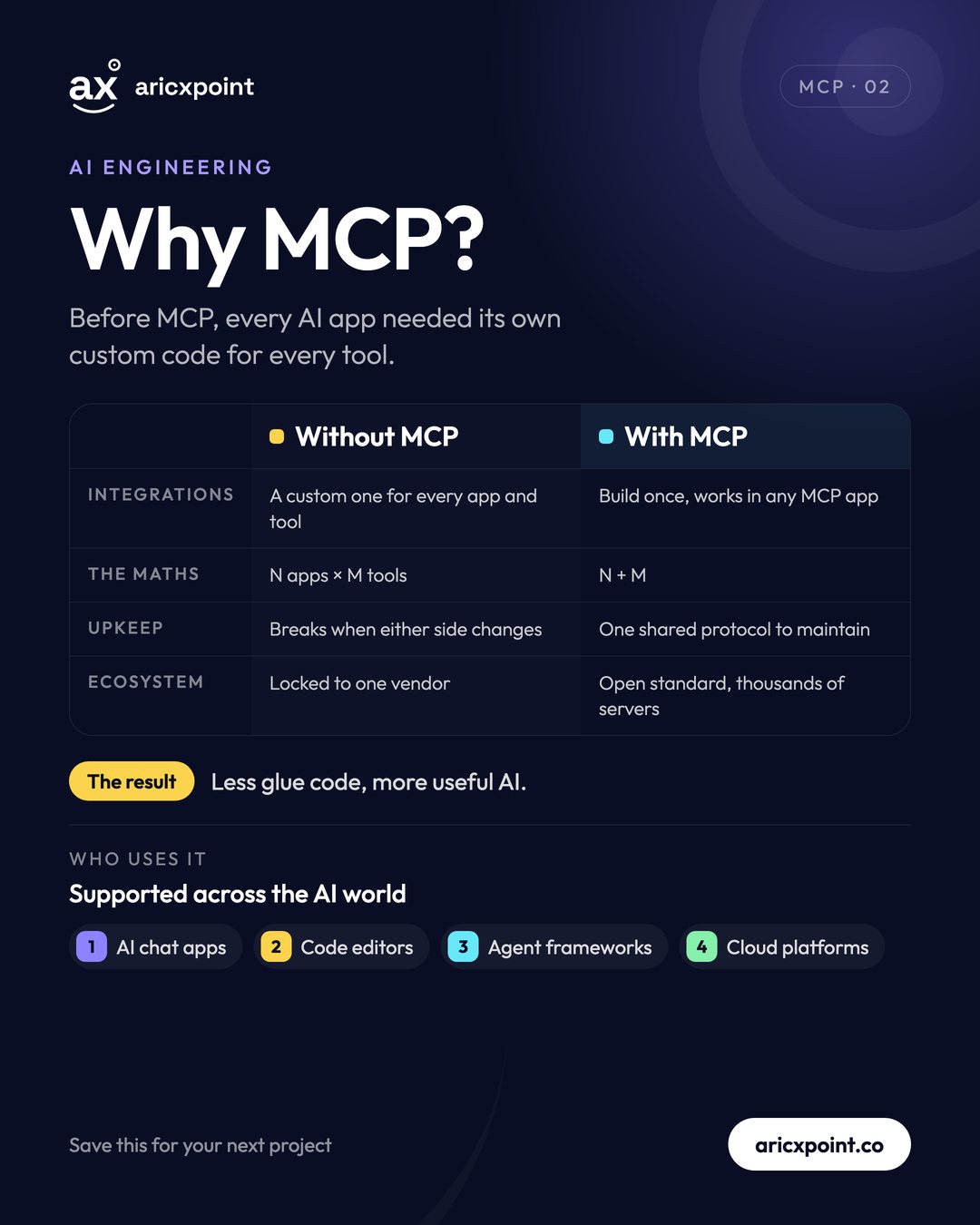
Before MCP, connecting N AI apps to M tools meant N × M custom integrations, each breaking when either side changed. With MCP it's N + M: every tool is built once and works in any MCP app. Your servers keep working if you switch AI apps, and there is a large open ecosystem of ready-made servers.
How a request flows
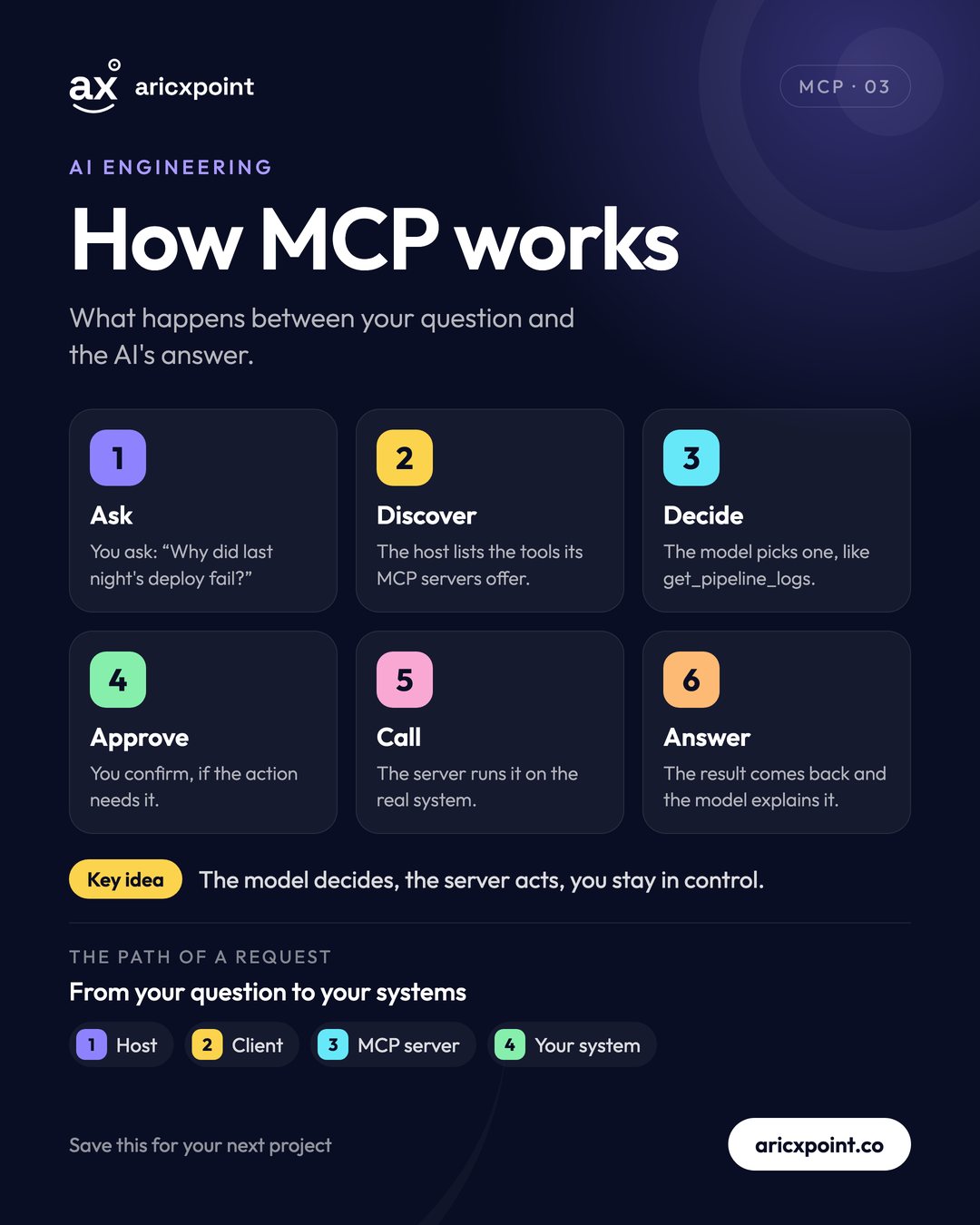
- Ask: “Why did last night's deploy fail?”
- Discover: the host lists the tools its MCP servers offer.
- Decide: the model picks one, such as
get_pipeline_logs. - Approve: you confirm, if the action needs it.
- Call: the server runs it on the real system.
- Answer: the result comes back and the model explains it.
The model decides, the server acts, and you stay in control.
Tools, Resources and Prompts
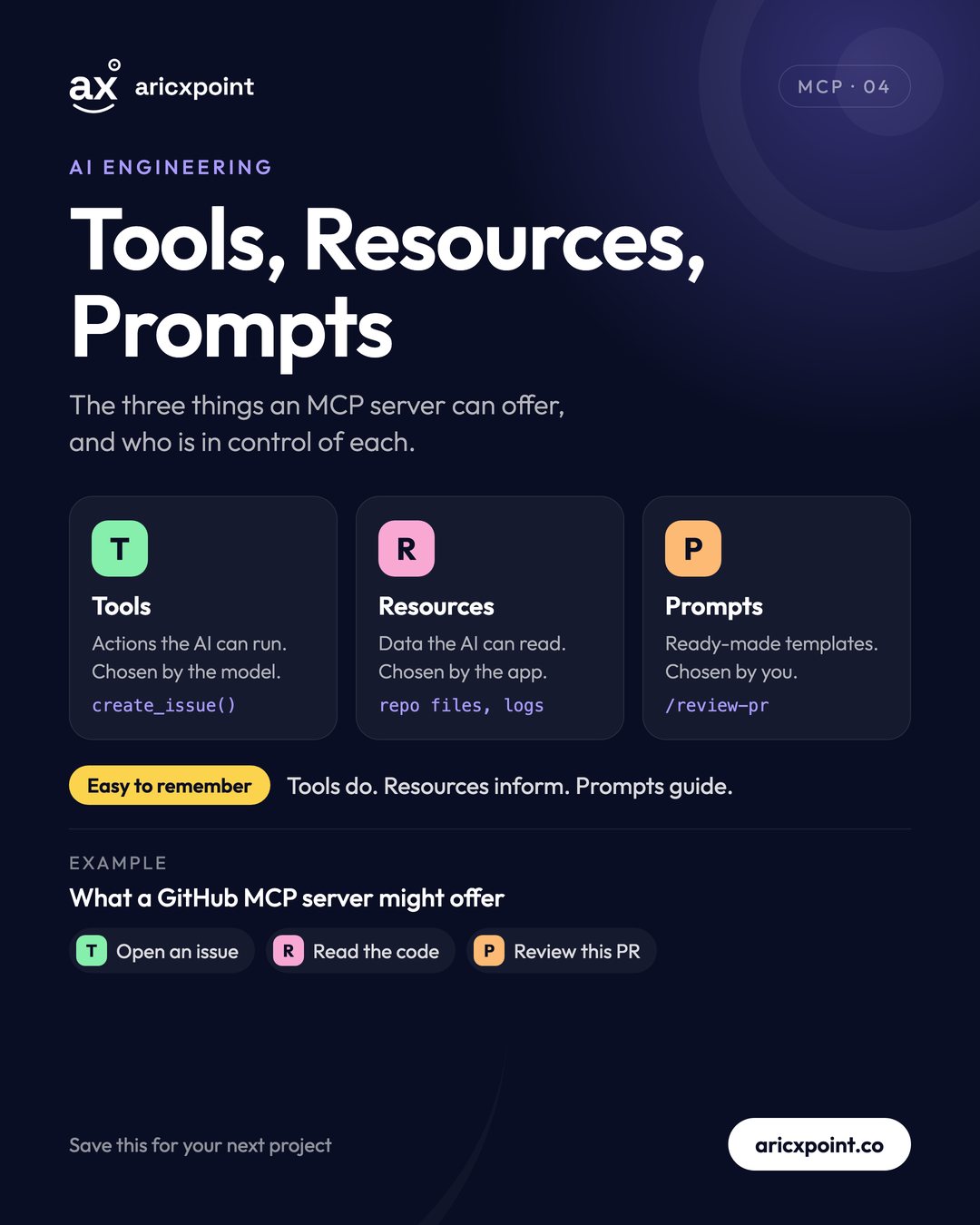
- Tools are actions the AI can run, chosen by the model. Example:
create_issue(). - Resources are data the AI can read, chosen by the app. Example: repository files or logs.
- Prompts are ready-made templates, chosen by you. Example:
/review-pr.
Easy to remember: tools do, resources inform, prompts guide.
Local vs remote servers
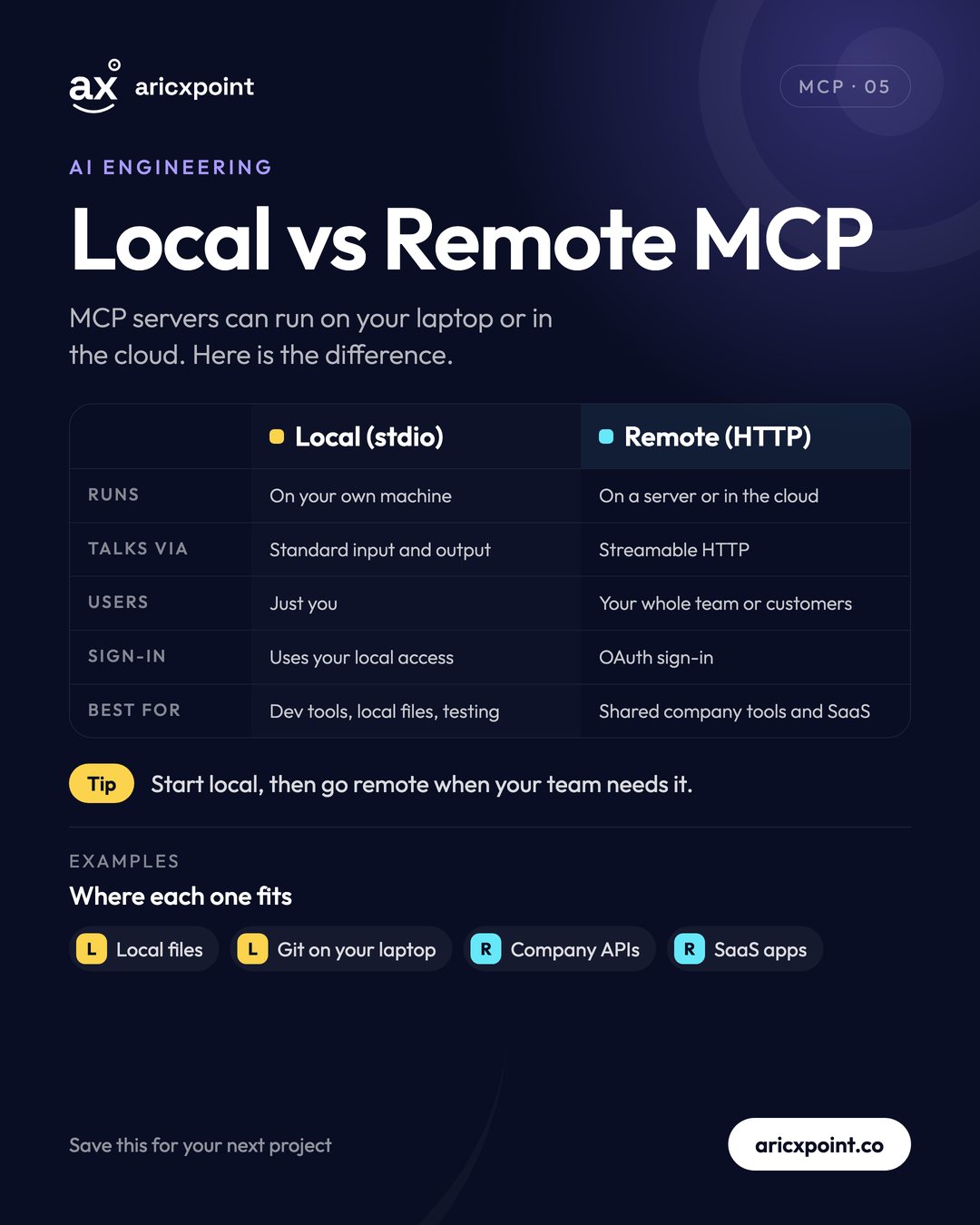
Local servers run on your own machine and talk over standard input/output (stdio). They're ideal for dev tools, local files and testing. Remote servers run in the cloud over Streamable HTTP, usually with OAuth sign-in, so a whole team or your customers can share them. Start local, then go remote when your team needs it.
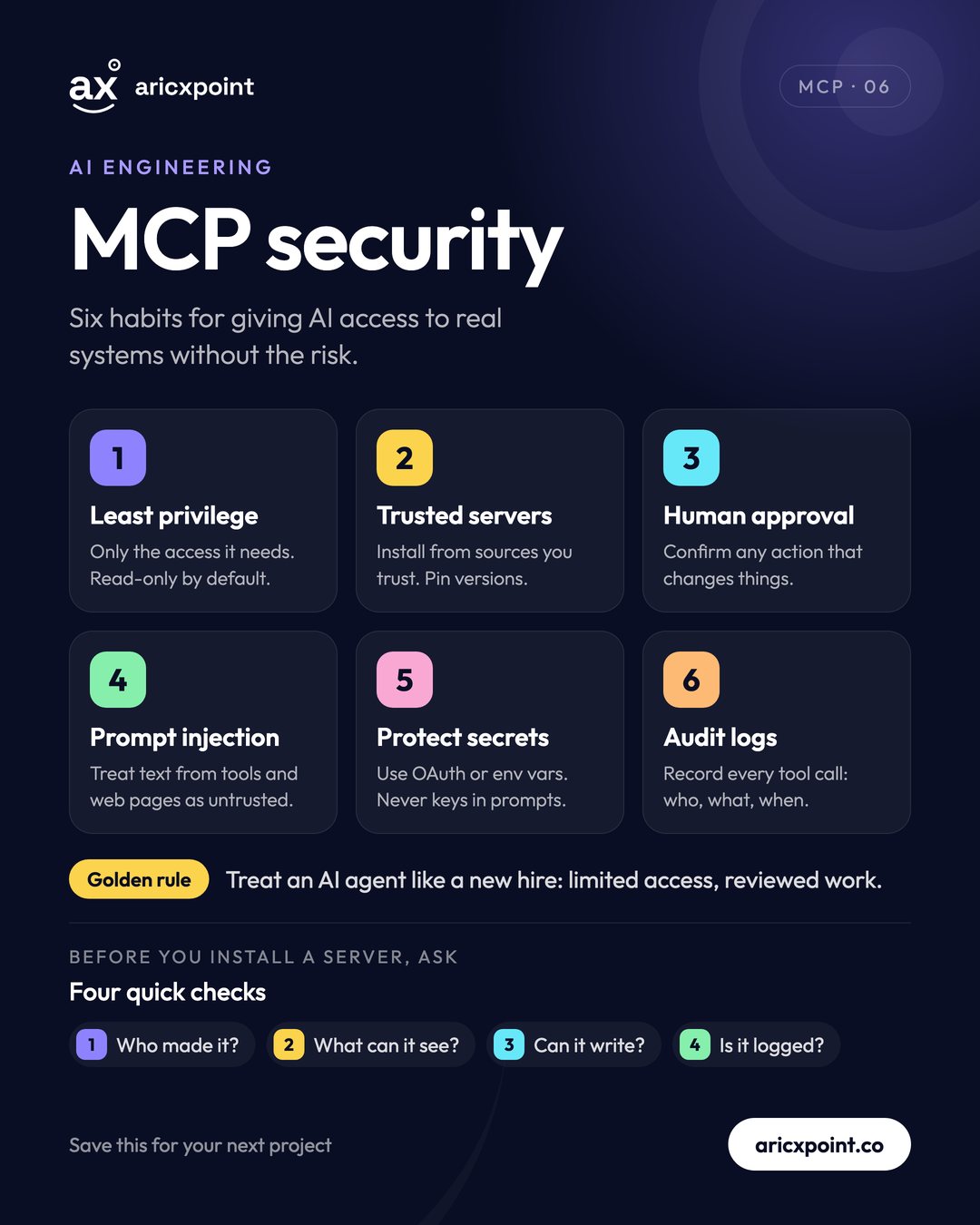
Security habits
- Least privilege: only the access it needs; read-only by default.
- Trusted servers: install from sources you trust and pin versions.
- Human approval: confirm any action that changes things.
- Prompt injection: treat text from tools and web pages as untrusted.
- Protect secrets: use OAuth or environment variables, never keys in prompts.
- Audit logs: record every tool call: who, what and when.
Treat an AI agent like a new hire: limited access and reviewed work.
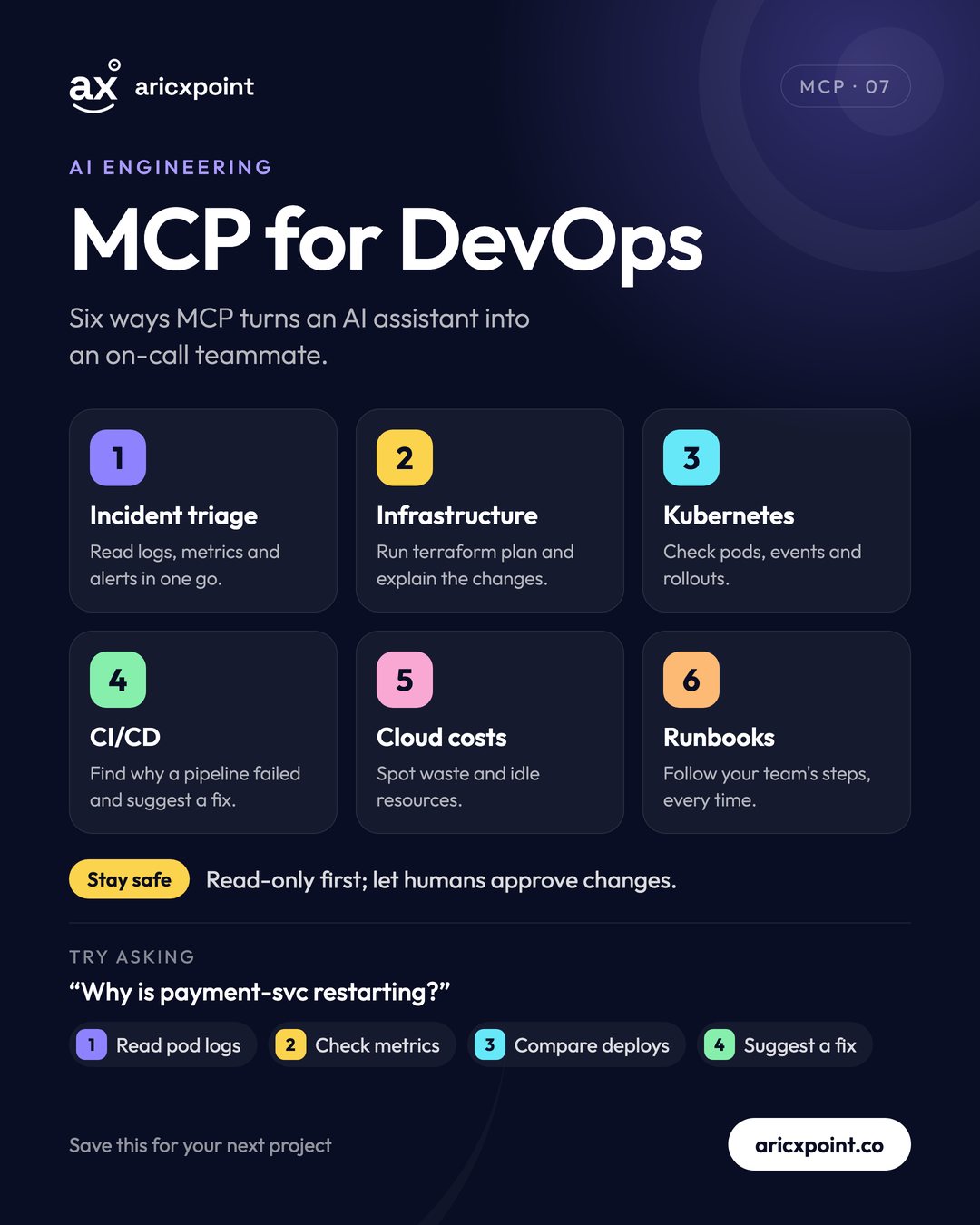
MCP for DevOps
With the right servers, an AI assistant can triage incidents from logs and metrics, run terraform plan and explain the changes, check Kubernetes pods and rollouts, find why a CI/CD pipeline failed, spot idle cloud resources and follow your runbooks. Try asking: “Why is payment-svc restarting?” Start read-only and let humans approve changes.
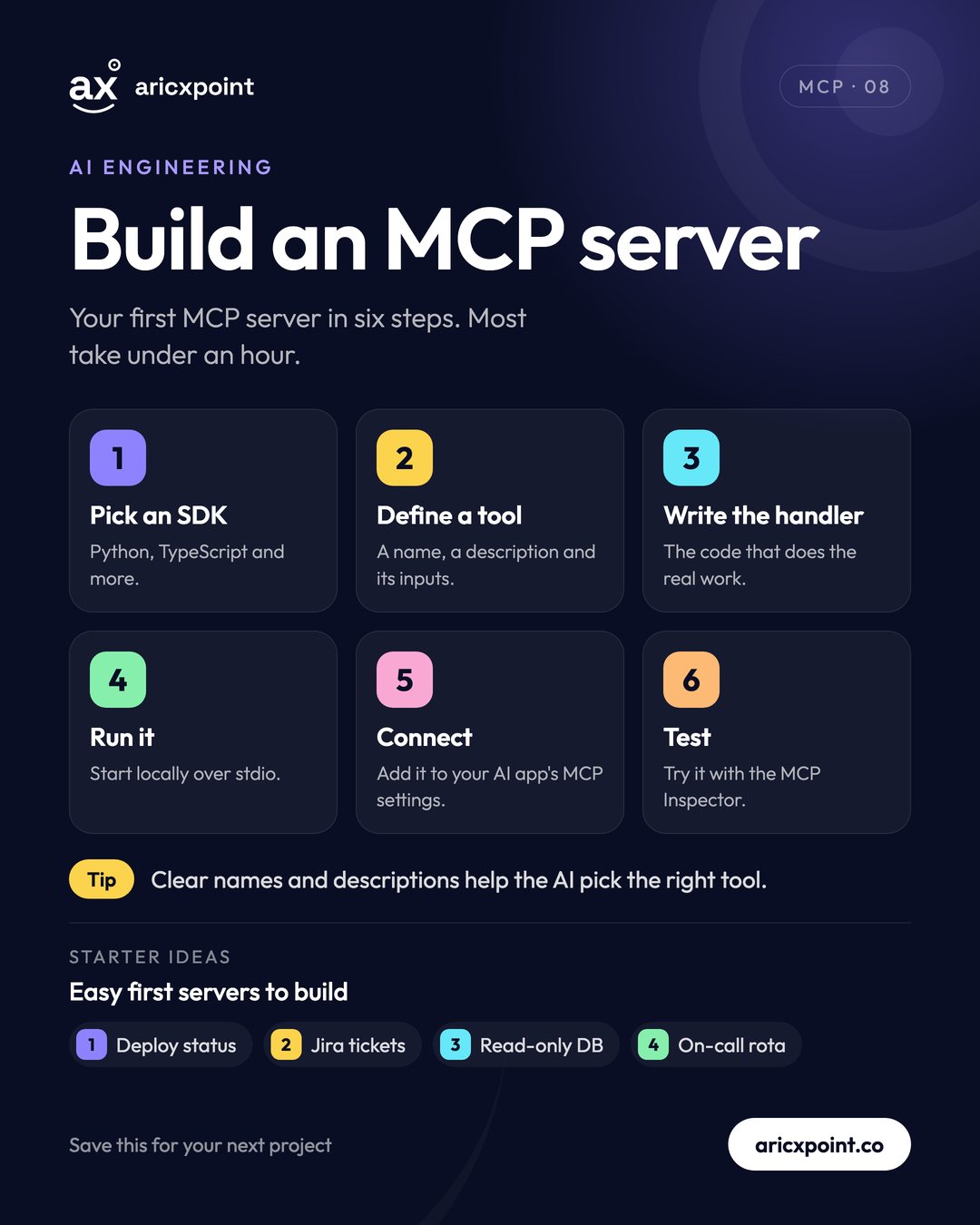
Build your first MCP server
- Pick an SDK: Python, TypeScript and more are available.
- Define a tool: a name, a clear description and its inputs.
- Write the handler: the code that does the real work.
- Run it locally over stdio.
- Connect it in your AI app's MCP settings.
- Test it with the MCP Inspector.
Clear names and descriptions help the AI pick the right tool. Good first ideas: deploy status, Jira tickets, a read-only database or your on-call rota.
USB-C for AI: build a connector once, use it everywhere.
Why it matters for your career
AI engineering is the fastest-growing area in tech. Engineers who can safely connect AI to real systems with MCP are in high demand.
The MCP series, slide by slide